Paint game tips
Hide and Seek Paint Game: Mecha Chameleon Pro Tips
Mecha Chameleon is a common way players search for MECCHA CHAMELEON, a hide and seek paint game where Chameleons survive by sampling colors, changing pose, adjusting material feel, and positioning themselves where Hunters expect ordinary objects.
Why this hide and seek paint game works
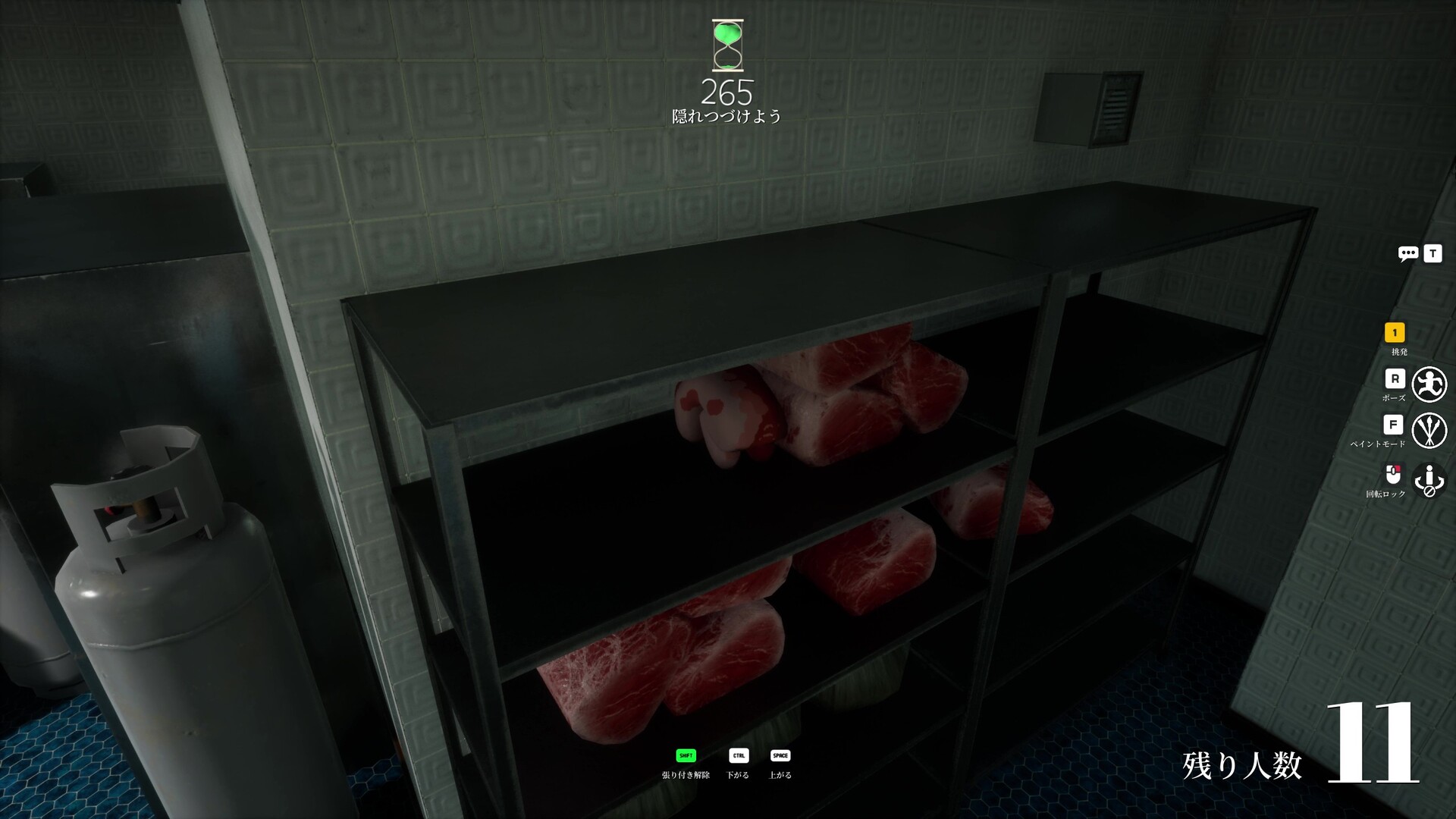
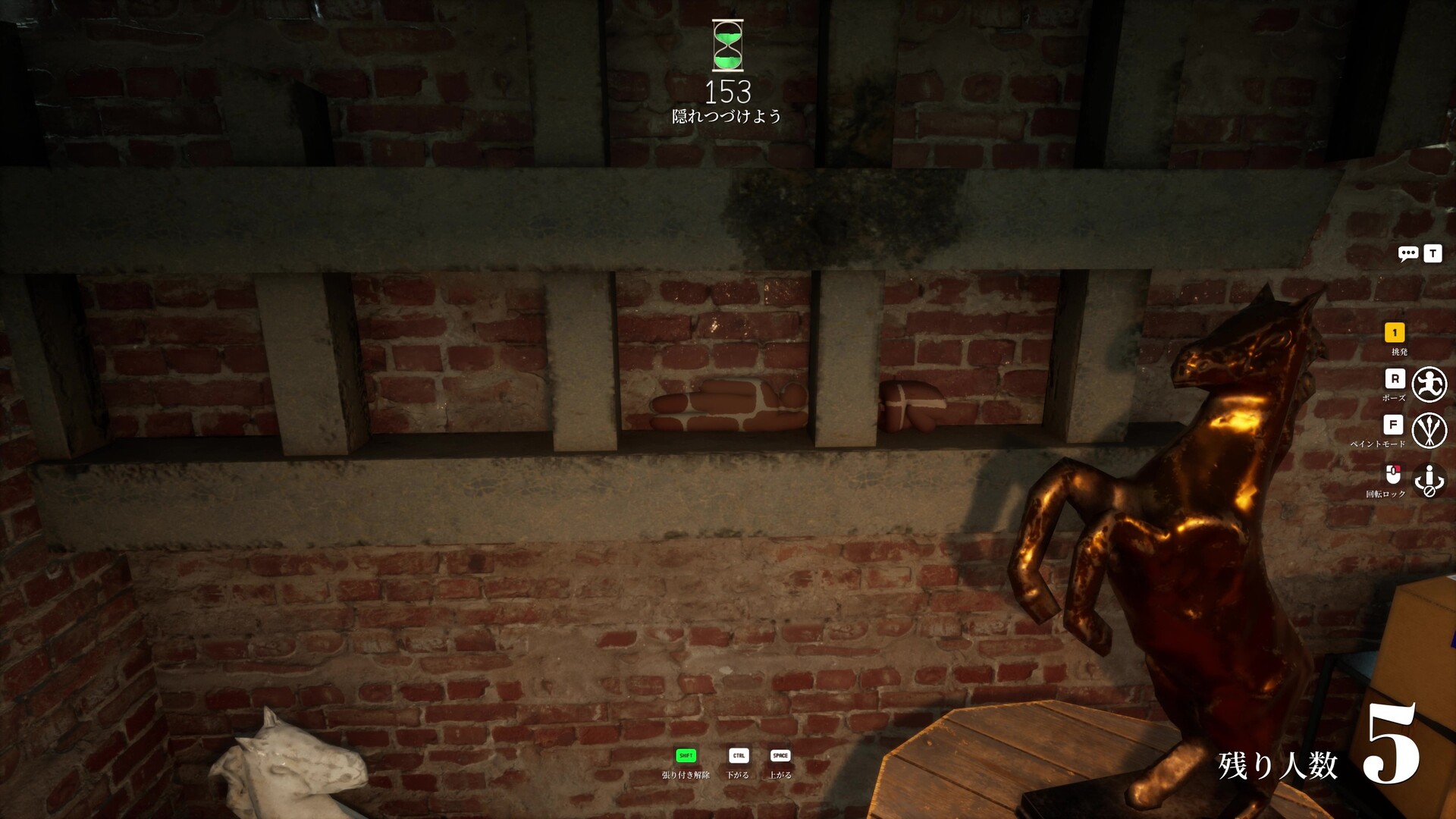
MECCHA CHAMELEON stands out because hiding is not only about finding a dark corner. The Chameleon role turns the room into a visual matching puzzle: choose a believable place, sample the environment, adjust your body surface, and hold a pose that does not break the scene.
The best players do not paint first. They first decide what they are trying to become: a patch of wall, a shelf object, a shadow shape, a repeated prop, or a surface that Hunters usually scan quickly. Paint Mode then supports that plan instead of covering up a poor hiding choice.
Understand the core controls
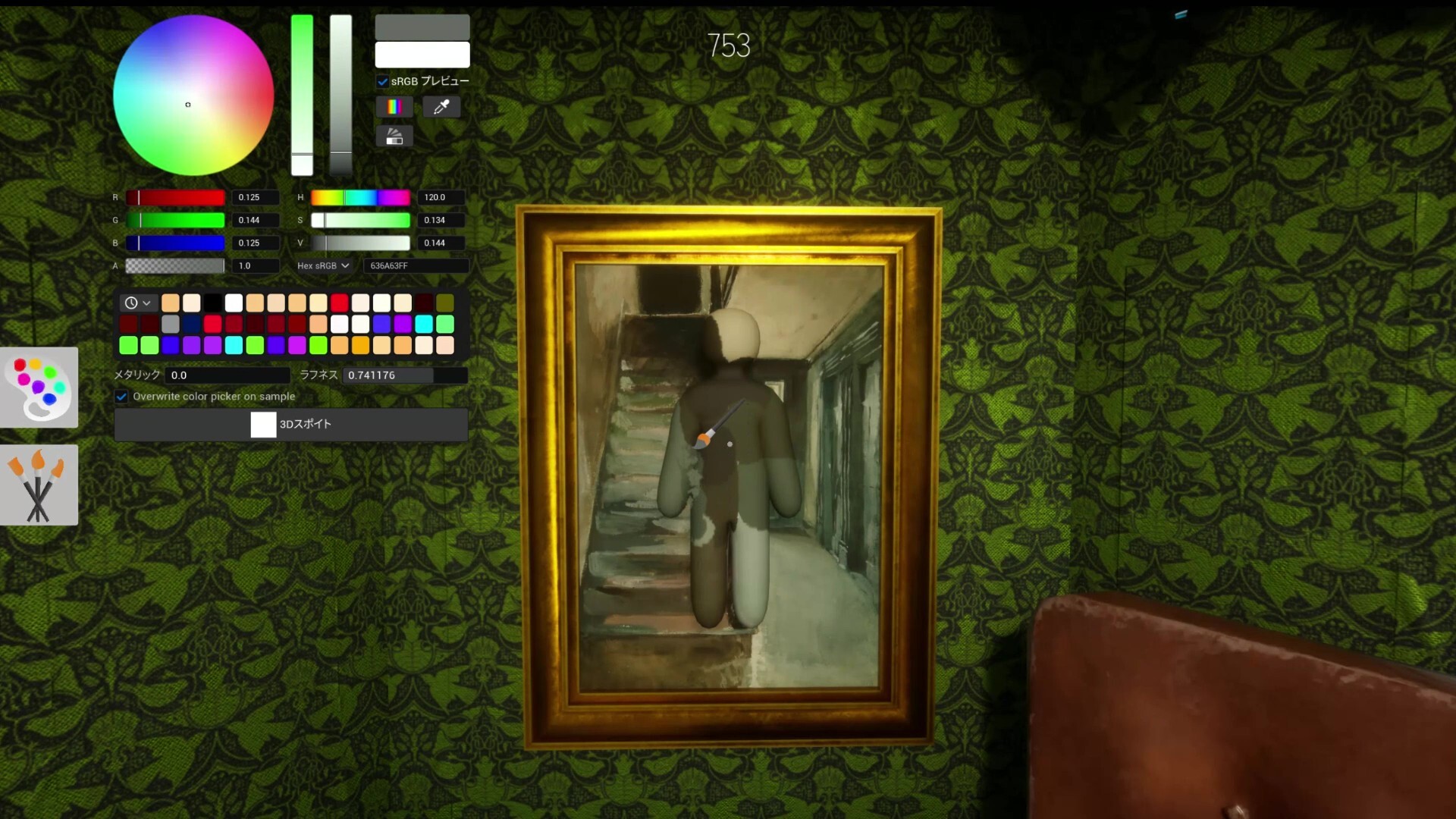
Start with the basic paint controls before trying advanced hiding routes. Press F to enter Paint Mode. While Paint Mode is active, hold right-click and move the mouse left or right to increase or decrease brush size. Small brush sizes help refine edges, while larger sizes help cover broad body surfaces quickly.
- Use a larger brush when you need a quick base color.
- Use a smaller brush when your outline or edge still looks too obvious.
- Recheck brush size after changing pose, because a new pose can expose a different part of the body.
Use the Eyedropper for accurate matching
The Eyedropper is the fastest way to build believable camouflage. While aiming at a surface, press and hold Spacebar in Paint Mode to sample color, texture, and roughness from that target. This reduces manual slider work and helps your Chameleon match nearby walls, props, floors, or furniture.
- Sample from the exact surface you plan to copy, not from a similar surface across the room.
- Check brightness before hue; a correct color still fails if it is too light or too dark.
- Sample again after moving into a new shadow or changing to a different wall angle.
Tune metallic and roughness carefully
The Metallic and Roughness sliders can create stronger disguises when the map contains reflective or polished surfaces. Raising Metallic and lowering Roughness can create a mirror-like finish, but it should be used selectively. Too much shine in a matte area makes the body easier for Hunters to notice.
- Use high roughness for dull walls, cloth, wood, and most furniture.
- Use low roughness only when the copied surface is genuinely glossy.
- Test reflective looks from the Hunter route angle, not only from your own close-up view.
Transform quickly when time is short
When a round starts fast or Hunters are close, quick shape decisions matter. Press F, aim at a nearby object, then use Spacebar to copy its visual properties quickly. This does not replace good positioning, but it can give you enough camouflage to survive the first scan.
- Pick objects that naturally belong in groups, such as repeated props or wall details.
- Avoid becoming a unique object in the middle of an empty space.
- Move only after the Hunter looks away; panic movement is usually easier to detect than a minor color mismatch.
Use advanced movement for cleaner positioning
Strong hiding often comes from body alignment. If you want to press against a wall while facing away from it, hold right-click and walk backward into the surface. You can still fine-tune left or right movement while holding right-click, which helps your body sit flatter against the chosen wall or prop.
- Align first, then paint; misalignment creates a suspicious silhouette.
- Use small side movements to hide exposed limbs or uneven edges.
- Check whether your pose still looks natural from the doorway and from the side.
Map areas worth practicing
Different maps reward different camouflage habits. Treat these as practice directions rather than guaranteed hiding spots, because popular locations become weaker once Hunters learn them.
| Map | What to practice |
|---|---|
| Hide and Seek Mansion | Furniture shapes, corners, shadows, and decorative object spacing. |
| Sewer | Cramped routes, darker surfaces, pipes, edges, and low-visibility corners. |
| Indoor Country | Indoor decorations, repeated props, and natural object placement. |
| Penguin Hotel | Walls, tight corners, props, and vertical surfaces where eye-level scanning fails. |
Final practice routine
A reliable Chameleon routine is simple: choose a believable place, enter Paint Mode, sample the closest matching surface, adjust brush size, correct roughness or metallic only when needed, then align your pose from the Hunter's likely viewing angle. Practice the same routine on several maps until it becomes fast enough for live rounds.
- Position before painting.
- Sample from the exact surface you want to imitate.
- Use pose and alignment to reduce silhouette mistakes.
- Move only when the Hunter's attention is elsewhere.